
The Dog Food App Recurring Orders
A recurring order allows you to easily set up scheduled deliveries with The Dog Food App. The scheduled deliveries are based on a set frequency suitable to your needs. Get your favourite pet supplies delivered straight to your door,you will never run out of your favourite pet supplies ever again.The best part, you save on every scheduled delivery & all the details can be adjusted at any time. Once you’ve successfully set up your scheduled delivery, we’ll send you an email to let you know when your order ships for the first time.
The Dog Food App Recurring Orders
Frequently Asked Questions
Get answers to frequently asked questions about our Pet Food Subscriptions
- Visit our website www.thedogfoodapp.co.za
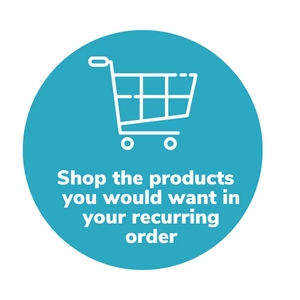
- Shop & search your Dog Food App favourite products.
- Select the products you would like to be in your recurring order. Select the recurring order option “Yes please. Pay just R987.05 now & for future orders.”
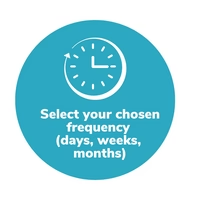
- Choose the frequency of when you would like the products to be processed.
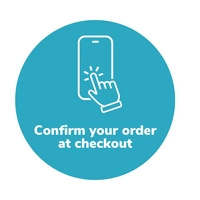
- Confirm your shopping cart & proceed to checkout & complete process as per normal
- Manage your Dog Food App recurring order from your profile.
- Change, edit or cancel your order
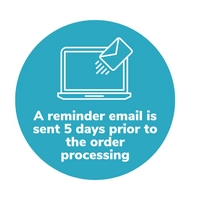
- Five days before your next order is due to process internally, we'll make sure to send you an email reminder before it gets shipped in case you have anything you would like to add/amend - all of which can be managed from your account profile on our website.
After your first recurring order, you will save an extra 5% on all products for all future recurring order
- Your selected payment method will be charged automatically on the date the order is processed internally. The set time is 12:00pm or 13:00pm depending on the time zone.
- As soon as the Dog Food App order is placed, you may see a pending charge for the total amount of the order. The pending charge will disappear 24 to 48 hours after your order is fulfilled internally in our system.
Yes, you will need to sign up & have a Dog Food App profile to create a Dog Food App recurring order.
- There is only one way to delete your Dog Food App recurring account
- All Dog Food App customers receive a friendly reminder email 5 days prior to the scheduled processing date with a list of products due to ship with your next recurring order scheduled to process. This allows you time to make any changes to the quantity or products in your recurring order. If your order processes, and is canceled after processing, there will be a cancellation penalty applied to the order.
Yes, your card details are safe & secure. We do not have direct access to your card details and they are vaulted and encrypted.
To manage your Dog Food App recurring order, simply login to your Dog Food App Profile on our Dog Food App website www.thedogfoodapp.co.za
- Login to your Dog Food App Profile, select “Manage Dog Food App Autodelivery”
- On the dashboard overview, you will see your recurring order number listed at the top.
- Login to your Dog Food App Profile, select “Manage Dog Food App Autodelivery”
- On the dashboard overview, you will see “Next order date” & “Change date”
- Select “Change date” & adjust to a suitable date.
- Please note “This will also change the order date for all future orders according to the frequency of your subscription. Your next order will process on the date selected”
- Login to your Dog Food App Profile, select “Manage Dog Food App Autodelivery”
- On the dashboard overview, you will see “Order frequency” & “Change frequency”.
- Adjust the Select Frequency & Select Interval.
- Select “Save changes”.
- Login to your Dog Food App Profile, select “Manage Dog Food App Autodelivery”
- On the dashboard overview, or if you scroll down to the options “Address and shipping information”.
- In the “Address and shipping information” section, your “Shipping Method”, “Shipping Address” & “Billing Address” will be displayed, with an option to “Edit”.
- Select “Edit”, and adjust with your shipping address or billing address.
- Select “Save changes”
- Login to your Dog Food App Profile, select “Manage Dog Food App Autodelivery”
- On the dashboard overview, or if you scroll down to the options “Address and shipping information”.
- In the “Address and shipping information” section, your “Shipping Method”, “Shipping Address” & “Billing Address” will be displayed, with an option to “Edit”.
- Select “Edit”, and adjust your contact information in this section.
- Select “Save changes”
- Login to your Dog Food App Profile, select “Manage Dog Food App Autodelivery”
- If you scroll down to the options, you will see “Payment Information”. On the right hand side you will see “Edit”
- Adjust your payment details, and select “Save changes”.
- Login to your Dog Food App Profile, select “Manage Dog Food App Autodelivery”
- If you scroll down to the options, you will see “Products in your Dog Food App Auto Deliver box”. On the right hand side you will see “Edit quantity”. Select “Edit quantity” and you will be able to adjust the Quantity of the product or products in your recurring order using the up & down arrows.
- Login to your Dog Food App profile on our website www.thedogfoodapp.co.za
- In the search bar function, find the Dog Food App product you are wanting to add to your existing recurring order. Once you have found the product, and selected the variant of choice (12KG, 16KG etc). Select "Yes please. Pay X now & for further orders." Once you select this, select "Add to existing order".
- A new screen will pop up. Select the recurring order you would like the product to be added to. And Select "Add" next to Cancel. See the arrow.
- Login to your Dog Food App Profile, select “Manage Dog Food App Autodelivery”
- If you scroll down to the options, you will see the “Discount codes” section, where it states “Here is where you can set the discount code being used for this subscription. If a discount code already exists, it will be overwritten by the new one. You will see the new discount code applied on the next order”
- There is a block to add “New discount code” & Select “Apply discount”.
- This discount code will be applied to your next recurring order scheduled.
- There is only one way to delete your Dog Food App recurring account
- To cancel or pause your Dog Food App Auto Delivery order please send an email to info@thedogfoodapp.co.za. We will get you sorted.
- All Dog Food App customers receive a friendly reminder email 5 days prior to the scheduled processing date with a list of products due to ship with your next recurring order scheduled to process. This allows you time to make any changes to the quantity or products in your recurring order. If your order processes, and is canceled after processing, there will be a cancellation penalty applied to the order.
- Login to your Dog Food App Profile, select “Manage Dog Food App Autodelivery”
- If you scroll down to the options, you will see the “Transaction history” section, you will see your previous Order numbers & order details.
